To open an XS account, you need to fill out the registration form, verify your email address, complete the questionnaire, and submit your identification and proof-of-address documents. If there are no issues with your documents, you will typically receive an email confirming your verification within 2 to 5 minutes.
| Procedure | Things to Do | Guideline |
|---|---|---|
| STEP 1 | Fill out the registration form | Name, Date of Birth, Nationality, Country of Residence, Email Address, Phone Number |
| STEP 2 | Email Address Verification | Enter the code you received |
| STEP 3 | Complete the survey | Trading experience, employment status, source of funds, etc. |
| STEP 4 | Submit identification documents and proof of address | One of each |
| STEP 5 | Receive the verification completion email and start using your trading account | Usually 2 to 5 minutes |
Documents Required to Open an XS Account
Please submit one piece of proof of identity (POI) and one piece of proof of address (POR). Both documents must be in your name and must be valid.
| Types | Acceptable Documents | Conditions |
|---|---|---|
| Identification Documents | Passport, National ID Card, Driver's License, Residence Permit | Color photo; all four edges visible; name, date of birth, expiration date, or issue date legible; issued by a government agency or similar entity |
| Proof of Address | Utility bills (water, electricity, gas, internet), bank statements, lease agreements, credit card statements, proof of residence, and bank-issued verification letters | The entire page is visible; the name and address are legible; it was issued recently; and it is in the person's name. |
*Expired documents or proof-of-address documents in someone else’s name will not be accepted. Accounts can only be opened in the applicant’s name; opening an account in someone else’s name is not permitted.
Steps to Open an XS Account (For New Customers)
STEP 1: Fill out the registration form
Open the REBATE ONE XS account opening page and enter your name, date of birth, nationality, country of residence, email address, and phone number.
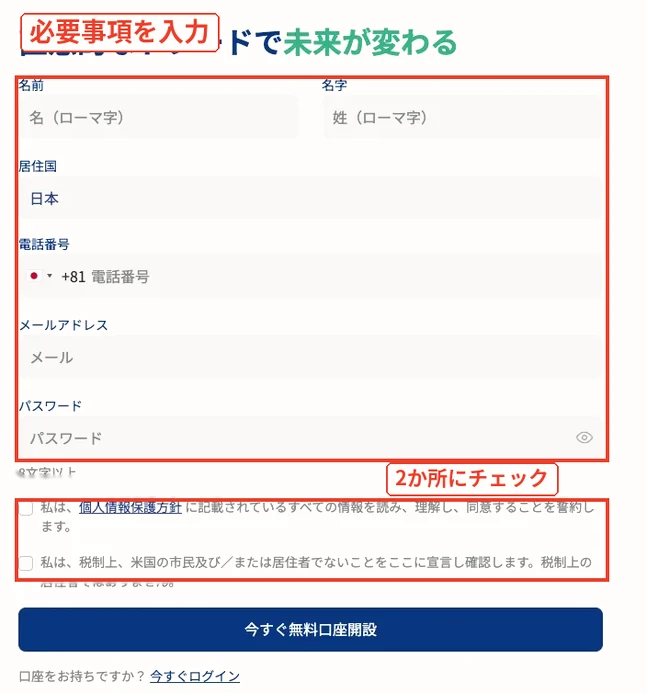
STEP 2: Verify Your Email Address
Enter the confirmation code sent to your registered email address. If you don't receive the code, check your spam folder, make sure you have enough free space in your inbox, and verify that you haven't blocked emails from the xs.com domain.
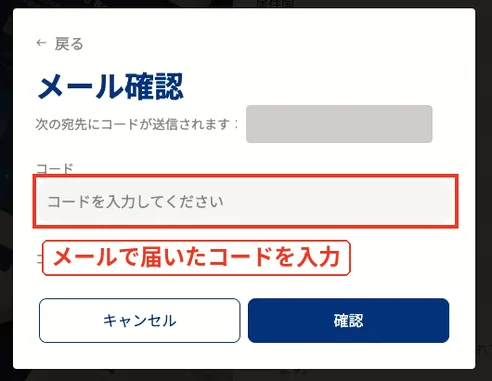
STEP 3: Complete the survey
You will answer a questionnaire covering your trading experience, understanding of financial risks, employment status, and source of funds. Since answering these questions is mandatory, your responses will not prevent you from opening an account, so please fill them out accurately.
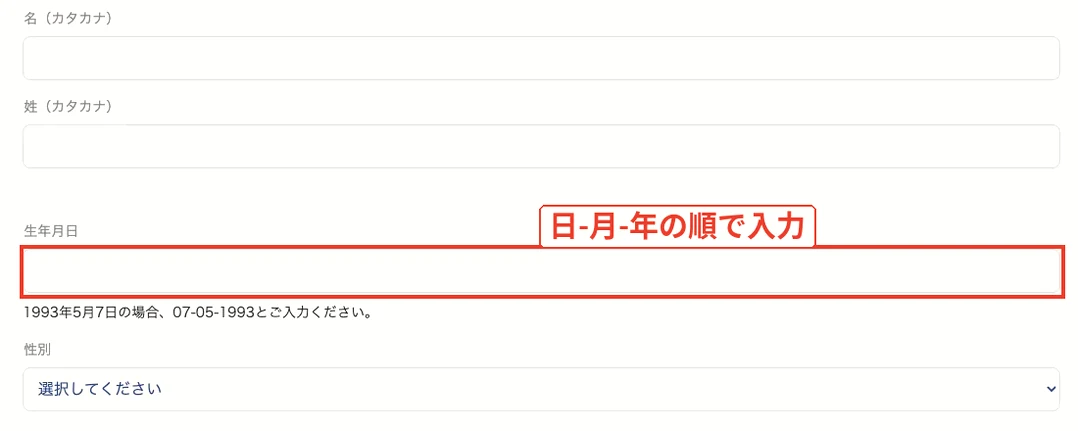
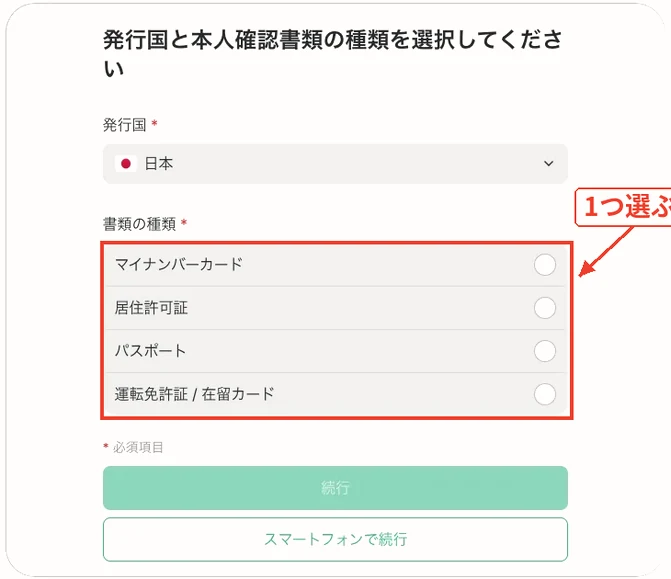
STEP 4: Submit Proof of Identity and Proof of Address
Upload one document at a time from the table above. If you need to replace a document after submission, upload the updated document via your profile in the Client Area.
STEP 5: Receive the verification completion email
If there are no issues with your documents, you will receive an email confirming that verification is complete. You can also check your verification status in the "Profile" section of the Client Area. Your MT4/MT5 login credentials and server name are listed in the email you received when you opened your trading account. Once identity verification is complete, you can proceed to claim the "Welcome 5000" bonus from the XS bonus program.
If your application is denied, please resubmit the correct documents based on the reason provided in the email you received.
For those who already have an XS account (additional account or IB link)
Multiple XS Accounts (Additional Accounts)
Within the same profile, you can open up to 10 accounts per platform and per account type. If you need more than 10 accounts, contact XS, and the relevant department will review your request. You can manage your accounts under “Accounts” → “Account Details” in the Client Area. Since account types cannot be changed later, you must open a new trading account if you wish to use a different account type. The differences between account types are summarized in the XS Account Types section.
| Item | Contents |
|---|---|
| Number of accounts that can be opened | Up to 10 accounts per platform and per account type |
| The 11th account and beyond | Contact XS to undergo a screening |
| Changing Your Account Type | I can't (open a new account) |
| Transferring Funds Between Accounts | In the Client Area, go to "Funds" → "Funds Transfer." No fees. |
Linking an XS IB (Partner)
If you already have an XS account, please contact XS support and ask them to link your account to the REBATE ONE partner link (my.xs.com/ja/links/go/3944).
STEP 1: Request a link to XS Support
Live chat, 登録済みのメールアドレスからsupport@xs.com宛てに, or パートナーリンクmy.xs.com/ja/links/go/3944への紐付けを依頼します.
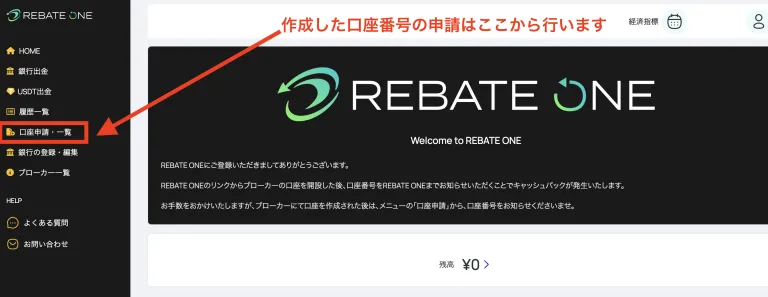
STEP 2: Submit Your Account Number to REBATE ONE
Once the linking is complete, submit your XS account number via the REBATE ONE My Page. Once this is done, any cashback generated approximately 30 minutes after a trade will be automatically deposited into your XS cashback wallet.
XS Demo Account
A demo account is a free account that uses virtual funds and offers the same features and technical indicators as a live account.
| Item | Contents |
|---|---|
| Number of accounts that can be opened | Up to 10 accounts per platform and per account type |
| Expiration Date | Although there is no set expiration date, MT4/MT5 demo accounts are automatically archived (and cannot be restored) if there is no trading activity for 90 days. |
| Account Types Without a Demo Account | Standard Account, VIP Account |
| Replenishing the Balance | Can be added from the Client Area |
Steps to Add Funds to an XS Demo Account
- Log in to the Client Area (my.xs.com)
- In the menu on the left, open "Account" → "Account Details"
- Click "Deposit" next to the demo account.
- Select "Deposit to Demo Account," choose an amount, and submit.
Archived demo accounts cannot be restored, but you can open a new demo account at any time.
FAQ
How long does it take to open an XS account?
After you’ve completed the registration form, email address verification, survey, and document submission, you’ll typically receive a verification completion email within 2 to 5 minutes, provided there are no issues with your documents. If there’s a delay, check to make sure your documents are in color, clear, and not blurry, and that your name and date of birth are legible; resubmit them if necessary.
Can I use expired documents when opening an XS account?
These cannot be used. All documents submitted must be valid. Proof of address must be in your name and have been issued recently. Documents issued in languages other than English will be accepted as long as they are legible and valid.
Can I have multiple accounts (multiple bank accounts) with XS?
Within the same profile, you can open up to 10 accounts across different platforms and account types. If you need more than that, contact XS for review. You can transfer funds between accounts for free via the “Funds Transfer” section in the Client Area.
Can I change the account type for an account I opened with XS?
You cannot change it. If you want to use a different account type, open a new trading account of the desired type using the same profile. You can hold up to 10 accounts per platform and per account type, and you can transfer funds between accounts without any fees.
How do I change the IB for XS?
Go to XS Support (ライブチャットかsupport@xs.com) and click “口座をパートナーリンクmy.xs.com/ja/links/go/3944へ紐付けるよう依頼します.” After linking your accounts, apply for your XS account number from the REBATE ONE My Page.
How long can I use the XS demo account?
Although demo accounts do not have an expiration date, MT4/MT5 demo accounts are automatically archived if there is no trading activity for 90 days, and they cannot be restored. You can open a new demo account at any time, and you can hold up to 10 accounts per account type.
Can I open an account in the name of a family member or someone else using XS?
No, you cannot. Accounts can only be opened and managed in your own name; accounts held in a third party’s name are not permitted. You cannot receive deposits from third parties or make withdrawals to third parties, and the address verification documents must be in your own name.
For details on the rebate amount and eligibility requirements, please see the XS Cashback page.