This page provides instructions for users who are already using Three Trader and wish to change their account affiliation (partner) or set up their account for REBATE ONE cashback.
This notice is for customers who are already using Three Trader (SuriTore) and opened their account through a source other than REBATE ONE. If you registered with Three Trader (SuriTore) through REBATE ONE from the very beginning, REBATE ONE is already set as your partner, so no changes are necessary.
Three Trader accounts registered through channels other than REBATE ONE are already linked to another partner and cannot be changed. In this case, please create an additional account.
To set up a cashback-eligible account with Three Trader (SuriTore), simply create an additional account and contact support. Please follow the steps below to set it up.
Procedure for Changing the Linked Account (Partner) on Three Trader (Suri Tore)
1. Log in to Three Trader (SuriTore)
Click "New Account" in the upper-right corner of the screen to create an additional account.

Although a number is entered in the "Link To" field, at this point, you can proceed with the display and selection as is.

Select your trading platform, currency, leverage, and other options to complete the process of opening an additional account.
2. Connect to the Three Trader (SuriTore) support chat
Launch the "Support Chat" located in the lower-right corner of the screen.
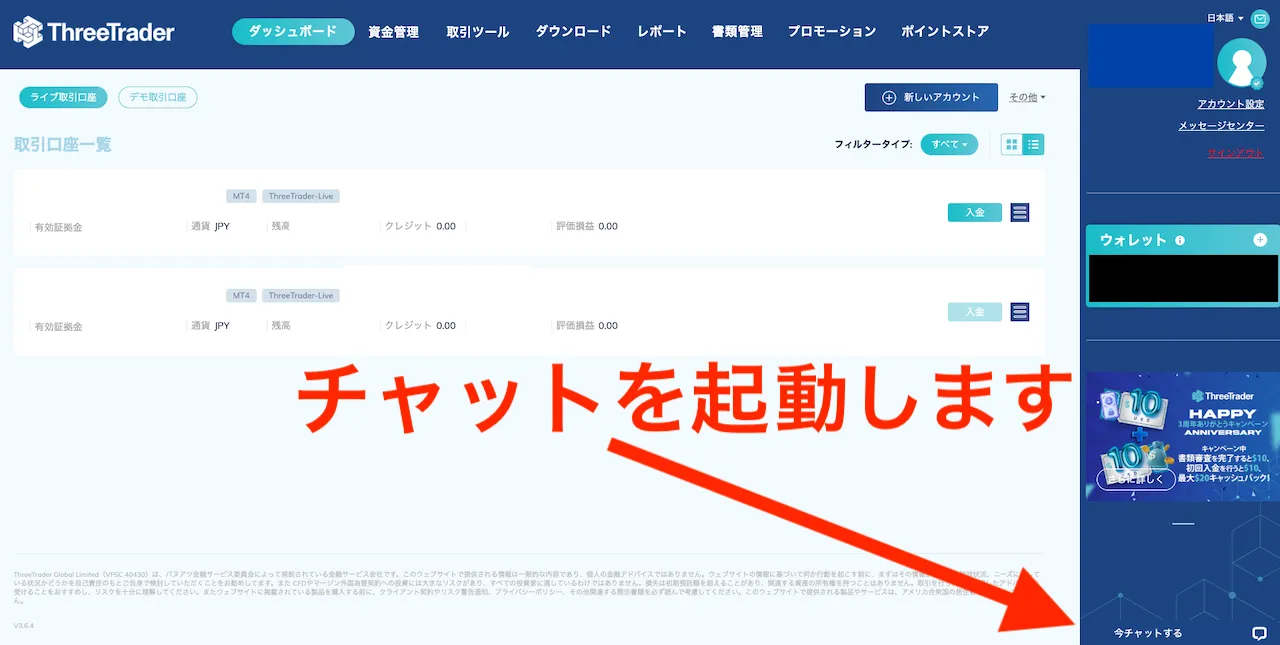
Please provide the following information to the support chat.
・Additional account numbers created
・Request to link to the following partner number
円口座の場合→510545
ドル口座の場合→510546
The process is complete once you receive a notification from Support confirming that the link has been established.
Let's apply for an account so you can get your cashback!
Once you've created an account eligible for cashback, the next step is to apply for an account to receive the cashback.
If you do not submit this application, you will not be able to receive your cashback even if you have gone to the trouble of opening a cashback-eligible account, so please be sure to do so.
Final Step >> Request a Cashback Receiving Account