This page explains how to open your first Three Trader (SuriTore) REBATE ONE cashback-eligible account.
Opening an account with Three Trader (SuriTore) does not require any mail-in paperwork; the entire process is completed online.
Opening an account with Three Trader (SuriTore) is very simple—the process consists of just four pages of form fields and is done through a selection-based interface—so even first-time users can open an account with confidence.
To open an account, you will need an email address and the following identification documents.
Required Documents
Identification documents (valid)
The only document that can be used on its own is a photo ID with your current address printed on it:
* Government-issued ID card (My Number Card)
* Driver's license
If you are using an ID card—such as a passport—that does not have your current address printed on it, you must also upload proof of address.
Proof of address (issued within the past 6 months)
* Health insurance card, certificate of residence, or equivalent document
* Utility bill or receipt
* Bank statement
Opening a Three Trader Cashback Account
Click the link button below to the official Three Trader website to open the Three Trader account opening page.
Entering Information
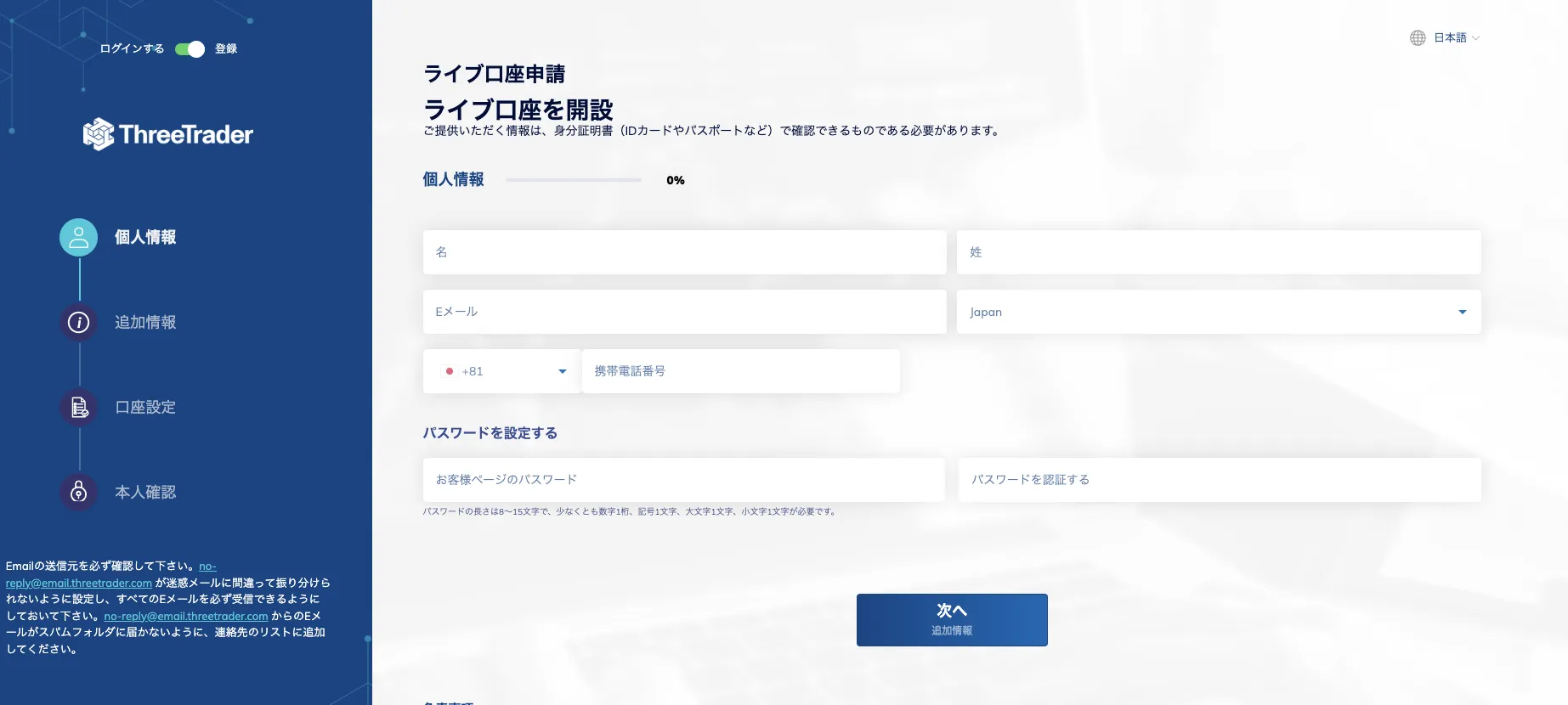
On the first page, “Open a Live Account,” enter your personal information—such as your name, email address, nationality, and cell phone number—then enter the password you’ll use for your account and click “Next.”
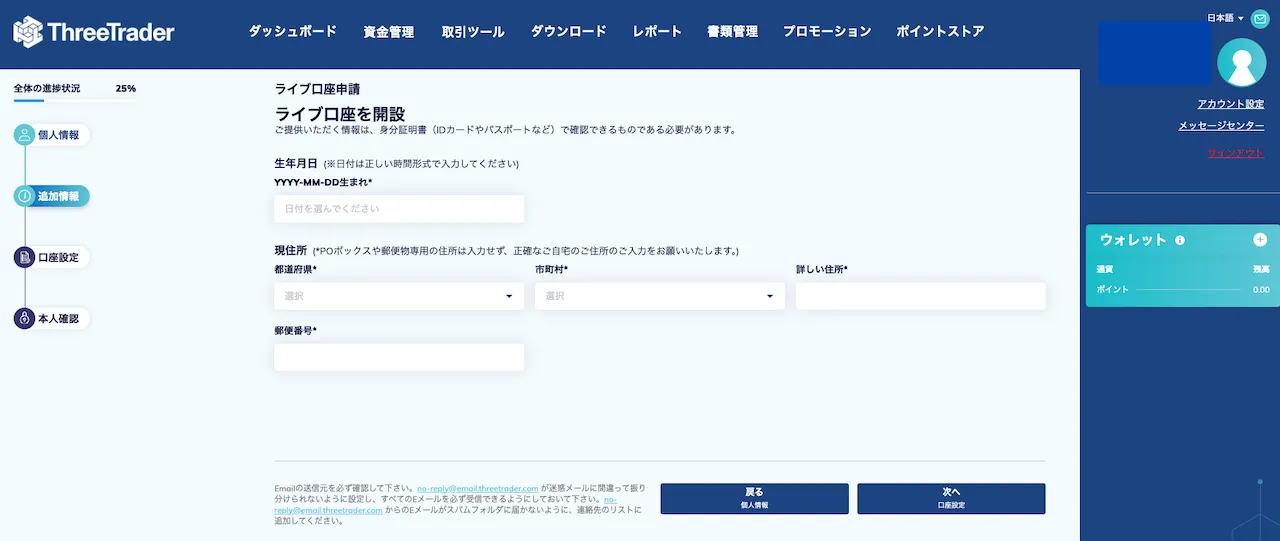
Enter your date of birth, current address, and ZIP code.
You can select your date of birth from the calendar and your current address from the drop-down menu, so entering this information is very easy.
When you're done entering your information, click "Next (Account Settings)."
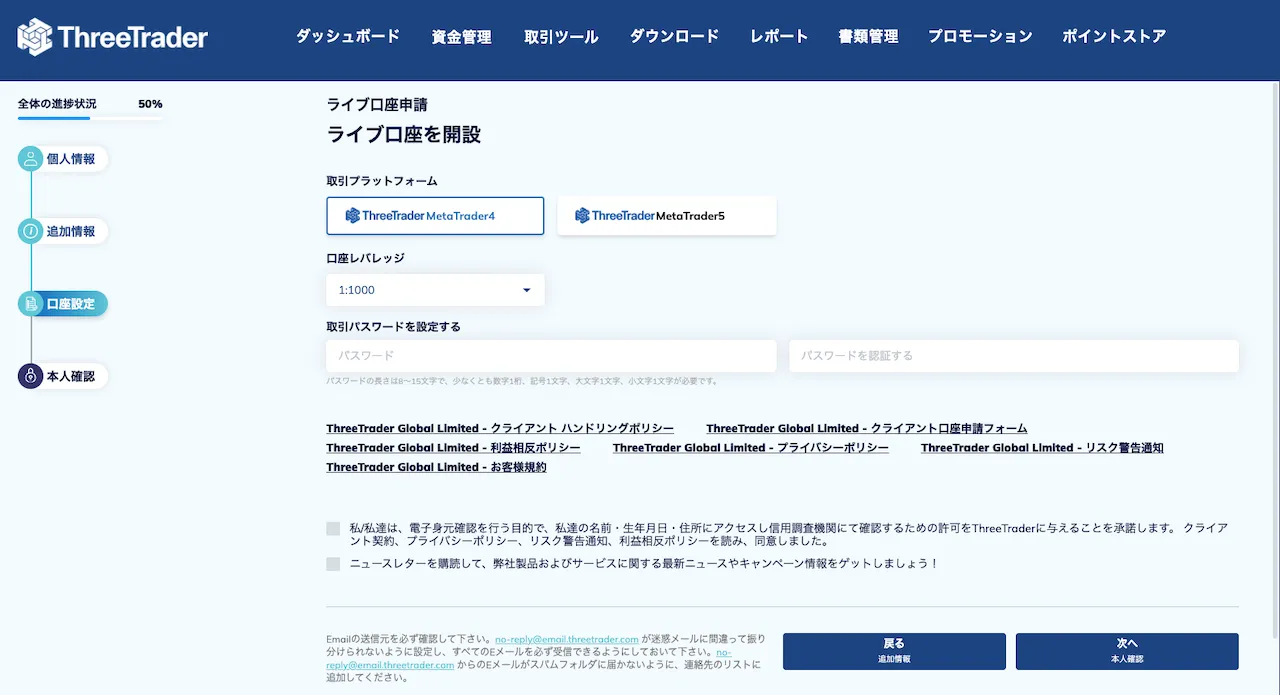
Select and set the platform you want to use (MetaTrader 4/5), the leverage you want to use, and the password to log in to your account.
Below the password setup form, you'll find links to the terms and conditions. If you agree, check the box and click "Next (ID Verification)."
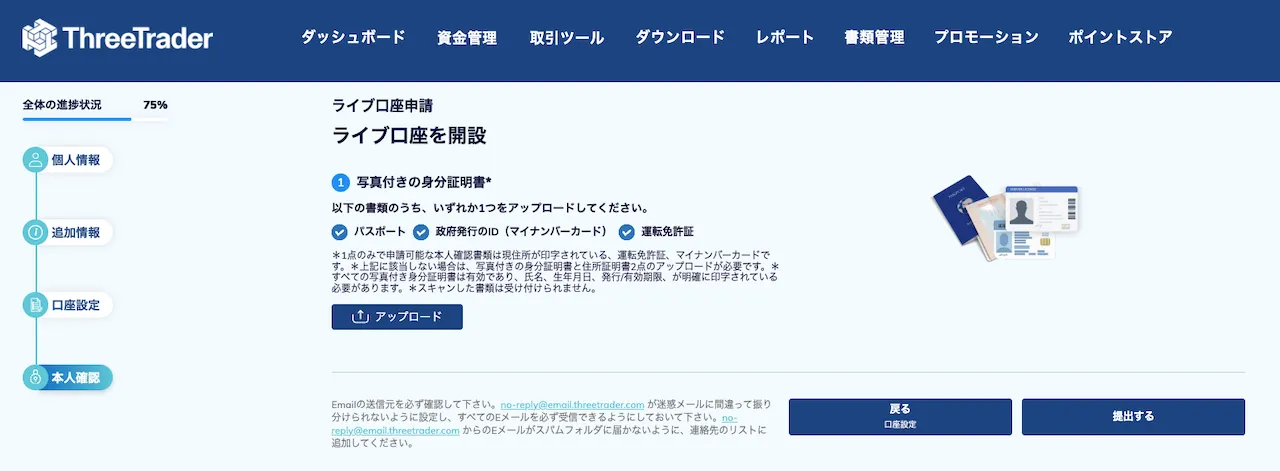
Uploading Required Documents
On the identity verification page, upload the photo ID you have prepared.
Government-issued ID card (My Number Card)
Driver's License
In such cases, you may submit a single document that includes a photo and your current address printed on it.
If you are using an ID card that does not have your current address printed on it, you must also upload proof of address.
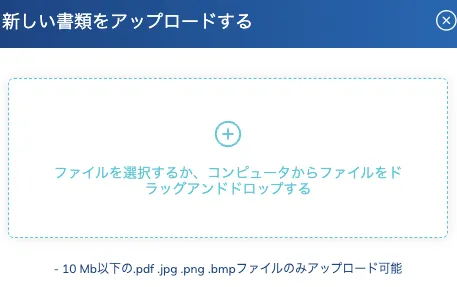
Once the upload is complete, click "Submit."
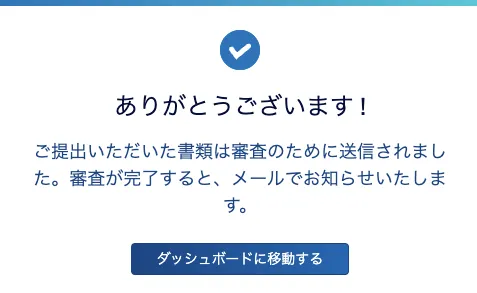
Once you submit the required documents, they will be reviewed. Once the review is complete, the account will be opened, and the available account will appear on your dashboard.
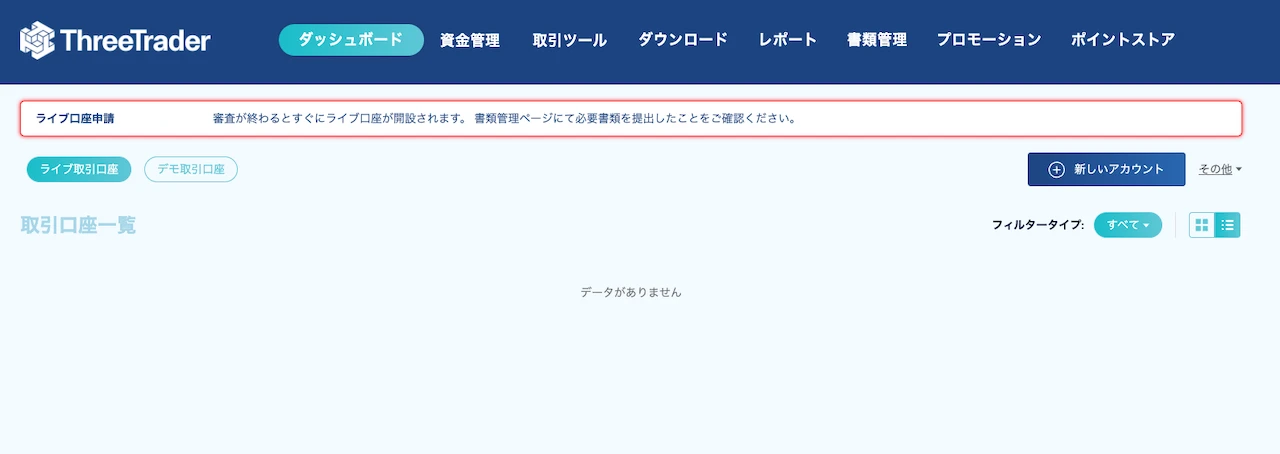
That completes the account opening process for Three Trader.
Let's apply for an account so you can get your cashback!
Once you've created an account eligible for cashback, the next step is to apply for an account to receive the cashback.
If you do not submit this application, you will not be able to receive your cashback even if you have gone to the trouble of opening a cashback-eligible account, so please be sure to do so.
Final Step >> Request a Cashback Receiving Account