This page explains how to change the affiliate (partner) associated with your current Titan FX account, as well as how to set up your account for REBATE ONE cashback.
This notice is intended for customers who are already using Titan FX (and opened their account through a source other than REBATE ONE).
If you register with Titan FX instead of REBATE ONE from the start, your partner will be set to REBATE ONE from the beginning.
Accounts opened through channels other than REBATE ONE cannot be converted directly into REBATE ONE cashback accounts.
Therefore, to use the REBATE ONE cashback account, you’ll need to open an additional account.
Procedure for Changing Your Titan FX Affiliate (Partner)
If you follow the steps below, a REBATE ONE cashback-eligible account will be automatically created when you open an additional account with Titan FX.
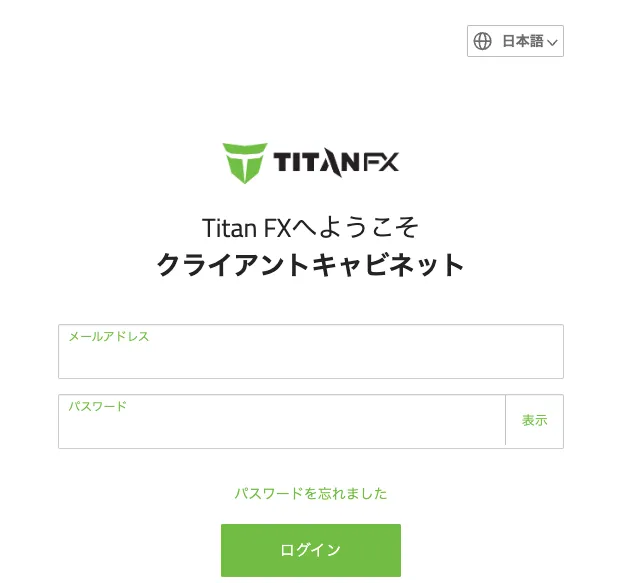
1. Log in to the Titan FX Client Cabinet.
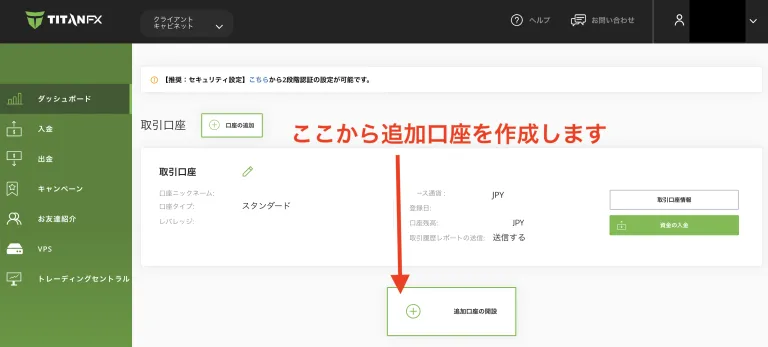
2. Titan FX Begins Accepting Applications for Additional Accounts
After logging in, click the "Open an Additional Account" button located at the bottom of the Client Cabinet homepage. From there, you can create a new additional account.
3: Selecting an Account Type and Configuring Advanced Settings
Select the type of account you want to open. Based on your goals, choose the account type, trading platform, base currency, and leverage you’d like to use.
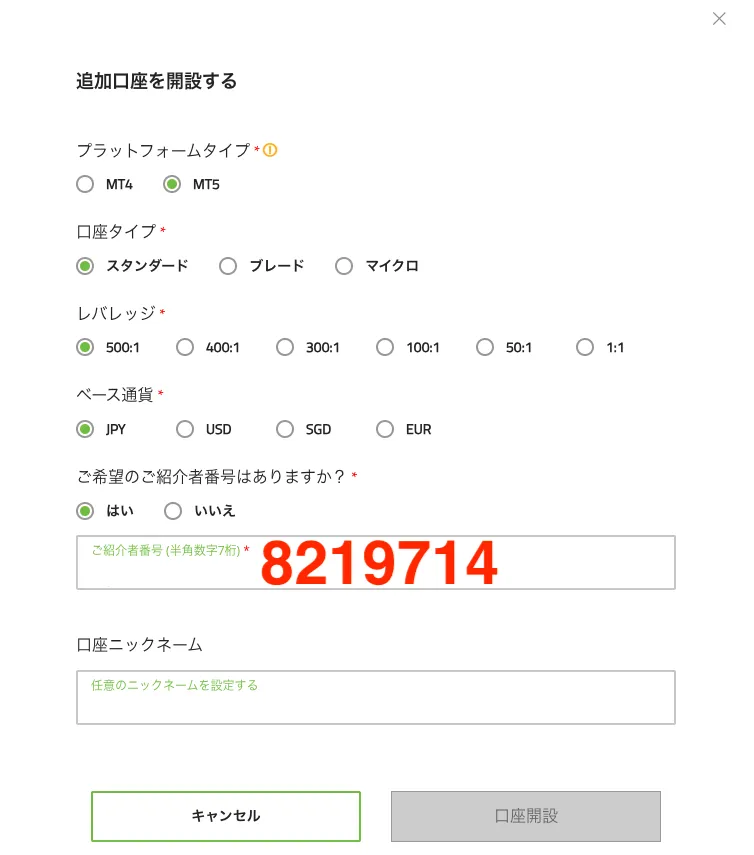
1. Trading Platform: Select MT4 or MT5.
2. Account Base Currency: Select from USD, EUR, JPY, etc.
3. Leverage: Specify your desired leverage ratio.
ページ下部にある「ご希望のご紹介者番号はありますか?」の入力欄に、「8219714」と入力し、「口座開設」ボタンを押します。
Enter the partner code “8219714” to designate this account as eligible for cashback. Please note that if you do not enter the code, this account will not be eligible for cashback.
4. Confirmation and Completion of Account Opening
When you click the "Open Account" button, a message stating "Your application has been submitted" will appear.
You will also receive an email notification once your account has been opened.
That completes the process of creating an additional account!
Let's apply for an account so you can get your cashback!
Once you've created an account eligible for cashback, the next step is to apply for an account to receive the cashback.
If you do not submit this application, you will not be able to receive your cashback even if you have gone to the trouble of opening a cashback-eligible account, so please be sure to do so.
Final Step >> Request a Cashback Receiving Account