
This page provides instructions on how to open your first INFINOX REBATE ONE cashback-eligible account.
Opening an account with INFINOX does not require any mail-in paperwork; the entire process is completed online.
To open an account, you will need an email address, a phone number, and the following identification documents.
Required Documents
Identification documents (valid)
You must present a valid, government-issued photo ID.
* Passport
* My Number Card
* Driver's License
Proof of address (issued within the past 6 months)
* Utility bills (electricity, gas, water, internet, landline phone, etc.)
* Bank and credit card statements
* Certificate of Residence and Seal Registration Certificate
Opening an INFINOX Cashback Account
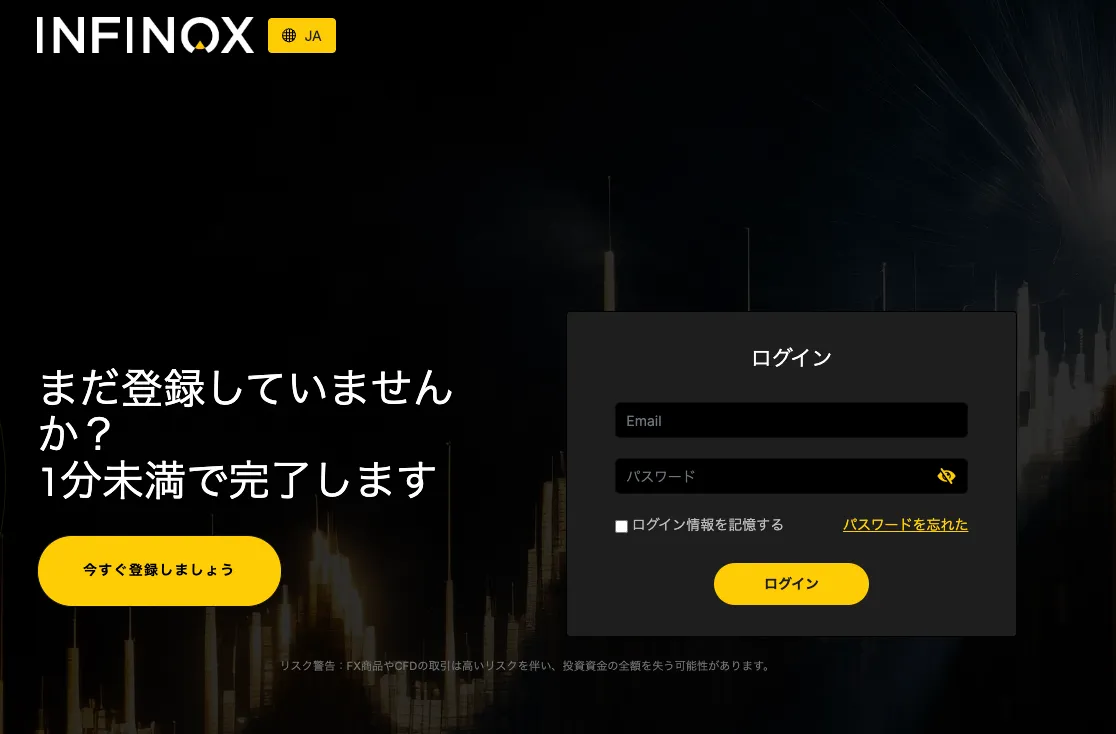
Click the link button below to go to the official INFINOX website and open the homepage.
If the button does not open, you can open an STP account directly from the STP account opening page on the INFINOX official website, and an ECN account directly from the ECN account opening page.
Click the "Sign Up Now" button on the left to proceed to the account opening page.
Entering Information
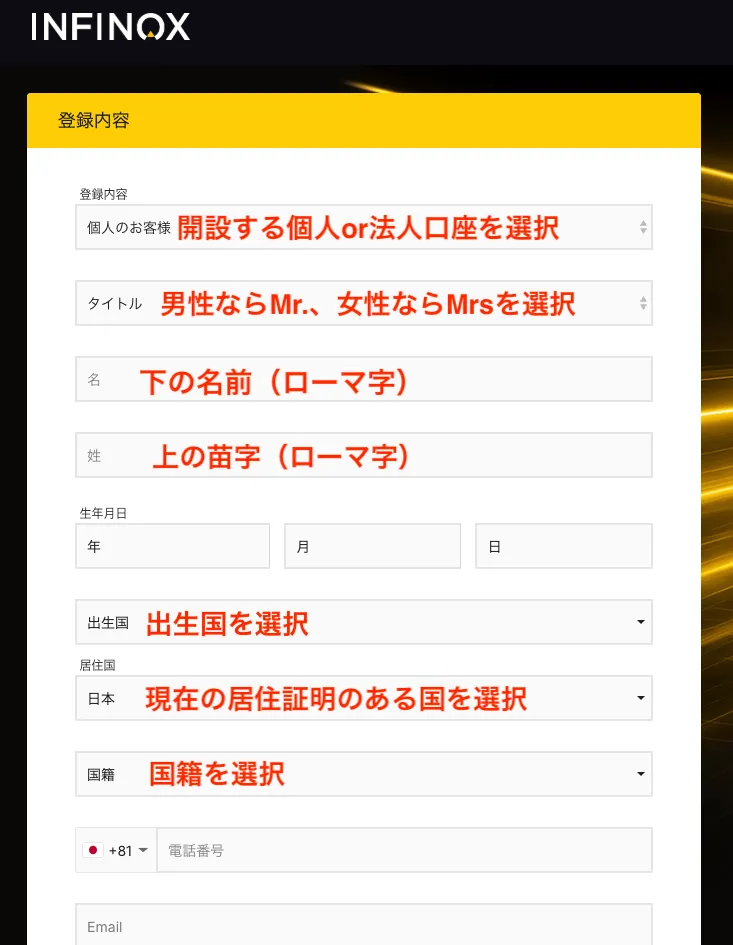
Under “Registration Details,” select either “Individual Customer (Individual Account)” or “Corporate Customer (Corporate Account)” from the list at the top.
Here, we will proceed with opening a personal account.
For the "Title," select "Mr." for men and "Mrs." for women.
Enter your "Name" in Roman letters and select your date of birth.
Select "Country of Birth," "Country of Residence," and "Nationality." For the phone number, select the country code and then enter the number without the leading "0."
In the "Email Address" field, enter the email address you want to use for this account.
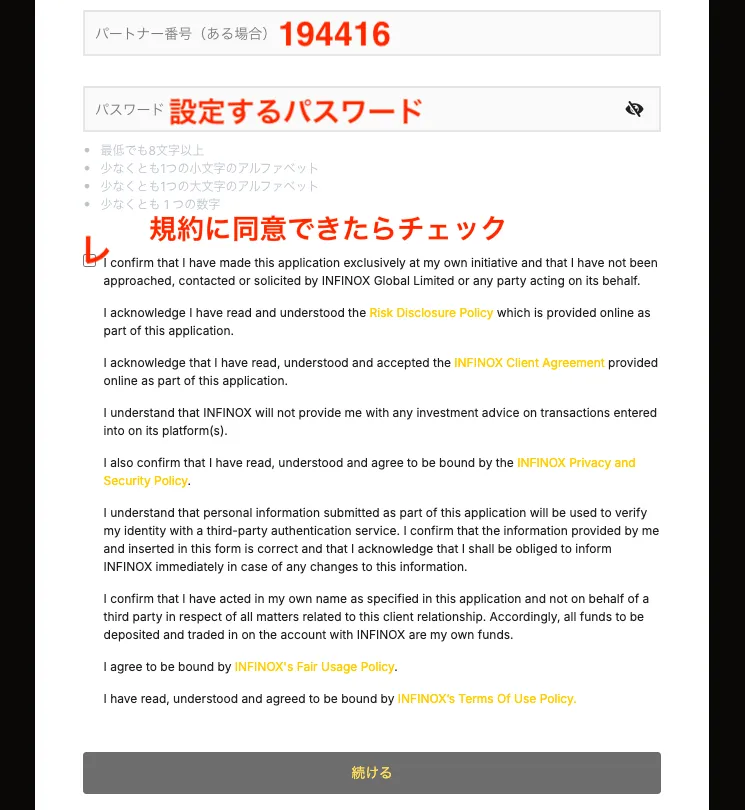
Next, while the “Partner Number” is generally not required if you’re proceeding via the REBATE ONE link button, please enter 【194416】 to ensure your account is set up for cashback.
In the "Password" field, enter the password you want to use for this account.
If you agree to the terms and conditions, check the box and click "Continue."
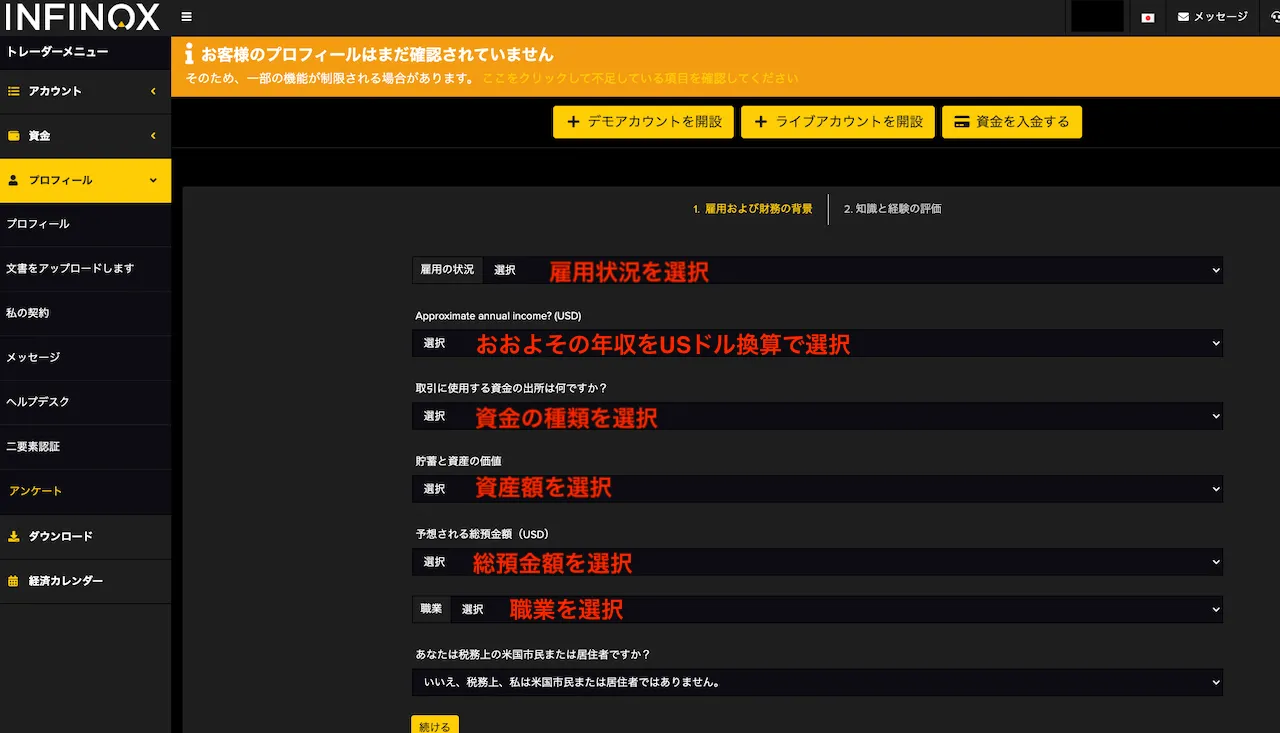
On the next screen, you'll find questions about your current financial situation. All answers are selected from drop-down menus, so there's no need to type anything.
Select the option that best applies to your current situation, then answer the questions regarding U.S. citizenship and residency for tax purposes, and click "Continue."
On the next screen, select and answer questions regarding your investment experience, your reasons for trading, and your understanding of risk as part of your risk tolerance assessment, then click “Continue.”
Uploading Required Documents
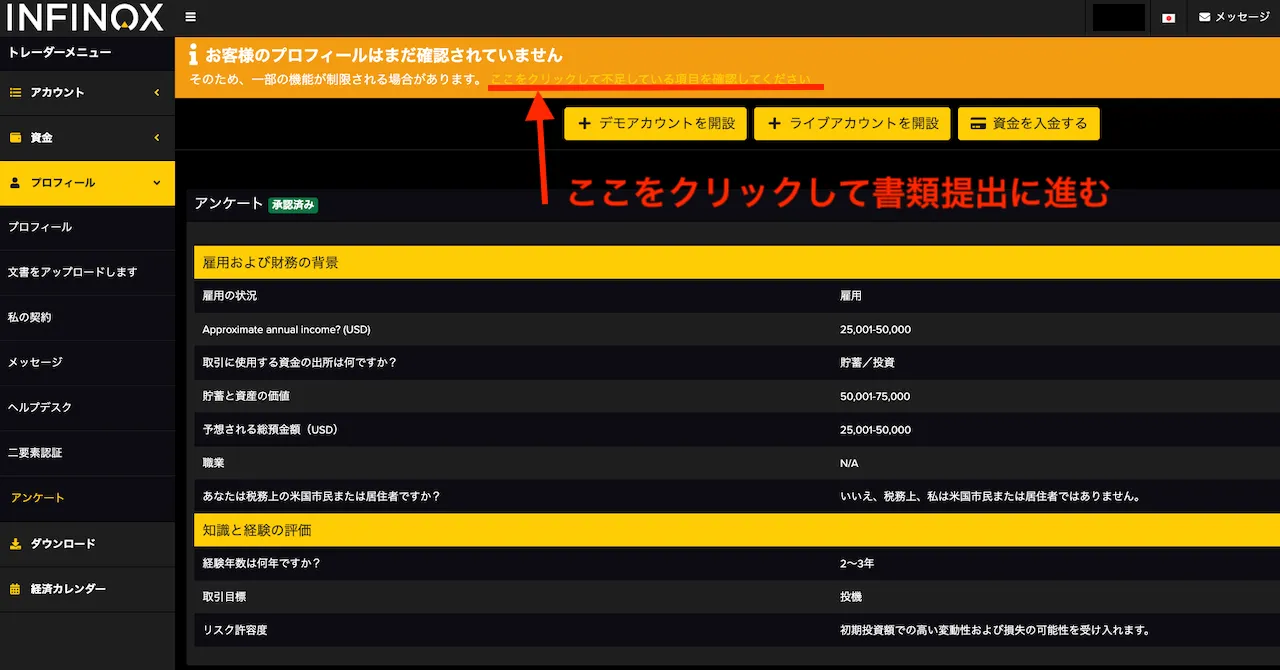
Once you've finished entering your information, select "Profile" on the left to see the answers you've provided so far.
Next, to upload the required documents, click "Click here to check for missing items" at the top of the page.
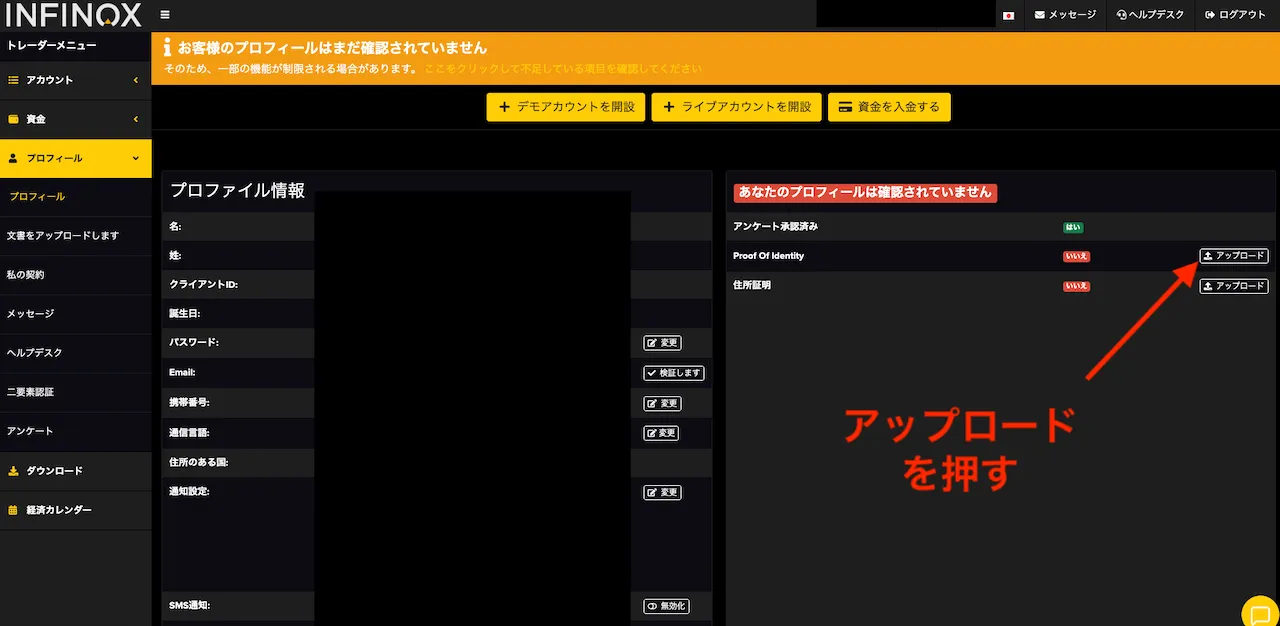
There is a document submission section to the right of "Profile Information," so click "Upload."
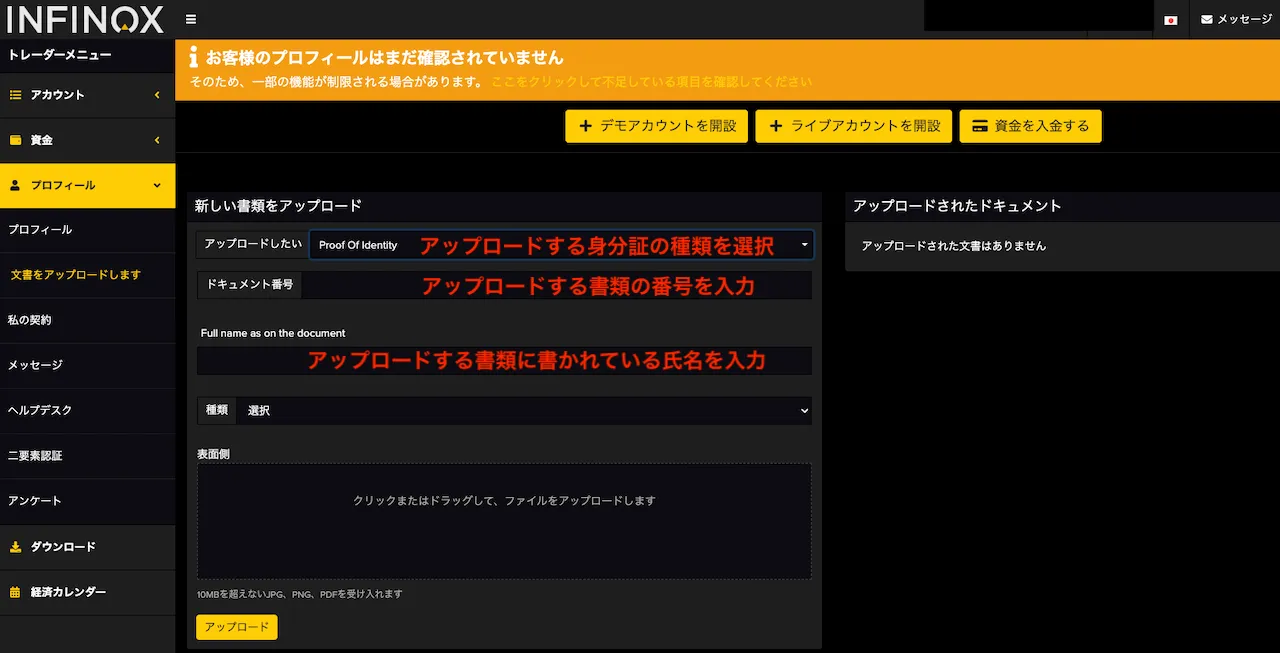
書類アップロードページで、提出する書類の情報を入力し、書類をアップロードし「アップロード」を押すと送信され、審査がスタートし、完了するとメールにて通知され完了となります。
That completes the process of opening an account with INFINOX.
Let's apply for an account so you can get your cashback!
Once you've created an account eligible for cashback, the next step is to apply for an account to receive the cashback.
If you do not submit this application, you will not be able to receive your cashback even if you’ve gone to the trouble of opening a cashback-eligible account, so please be sure to do so.
最後のステップ>>キャッシュバック受け取り口座申請