This page provides instructions on how to open your first REBATE ONE cashback-eligible account with Titan FX.
Opening an account with Titan FX does not require any mail-in paperwork; the entire process is completed online.
To open an account with Titan FX, simply access the account opening form, enter the required information—such as your personal details—and complete the SMS (text message) and email verification processes. With SMS verification, you can open an account in as little as one minute, allowing you to start live trading more quickly.
You’ll need an email address to open an account. While you can use Titan FX with SMS verification alone, you’ll need to have one form of identification and one proof of address on hand to trade without restrictions on deposits and withdrawals.
Required Documents
Identification documents (must be valid)
* Passport
* My Number Card
* Driver's license
Proof of address (issued within the past 6 months)
* Health insurance card, certificate of residence, or equivalent document
* Utility bill or receipt
* Bank statement
Opening a Titan FX Cashback Account
Click the link button below to the official Titan FX website to open the TITAN FX account opening page.
If the button doesn't open, you can also open an account through the official Titan FX website.
Entering Information Such as Your Email Address
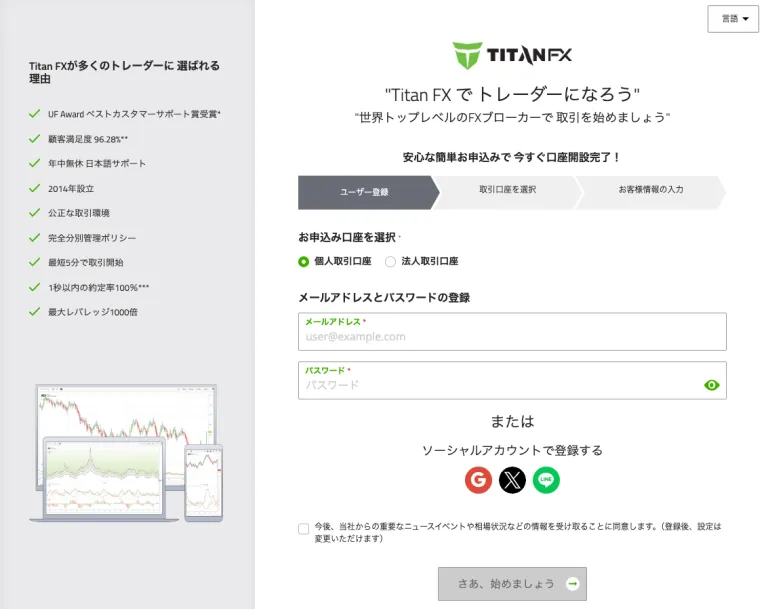
Once you've finished entering your information, click the "Let's Get Started" button.
Choosing a Trading Account to Open with Titan FX

・For the platform, select either “MT4” or “MT5” from the MetaTrader apps available.
・You can choose from three account types: Standard, Blade, and Micro. Each has different spreads, commission structures, and maximum leverage.
・For Standard and Blade accounts, you can choose from six leverage levels: “1:1,” “50:1,” “100:1,” “300:1,” “400:1,” and “500:1.” For Micro accounts, you can choose from “1:1” and “50:1” “100:1,” “300:1,” “400:1,” “500:1,” and “1000:1.” For example, if you select “500:1,” you can trade with 500x leverage.
・The base currency is the currency used in your trading account. You can choose from four options: “JPY,” “USD,” “SGD,” and “EUR.”
Once you've finished making your selection, agree to the Terms of Service and click "Next."
Enter Customer Information
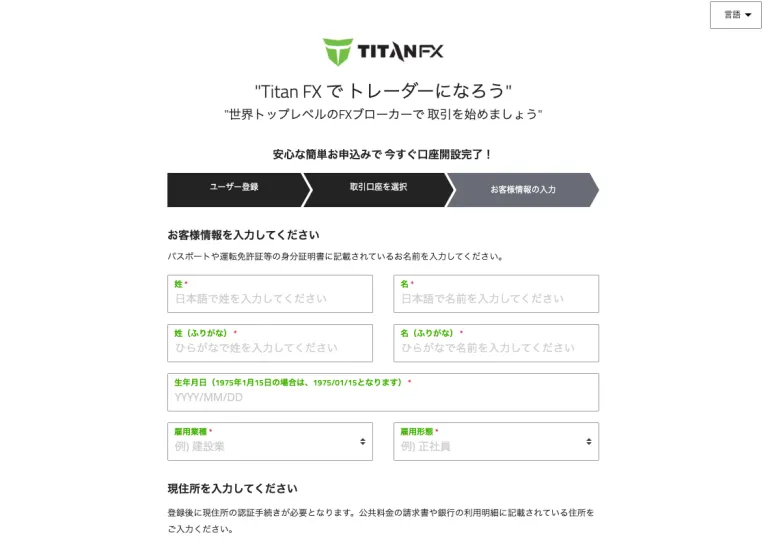
Please note that all entries must be made using the Roman alphabet. Since your address will be used for the verification process later on, please enter it exactly as it appears on your proof of address document.

When you tap "Send Verification Code," a code will be sent to you via text message.
Enter the 6-digit verification code from the SMS and click the "Verify" button. A message stating "SMS verification is complete" will appear, and the "Open a Trading Account" button below will become clickable.
After clicking "Open a Trading Account," you'll receive an email; please complete the verification process.

Verify Your Email Address
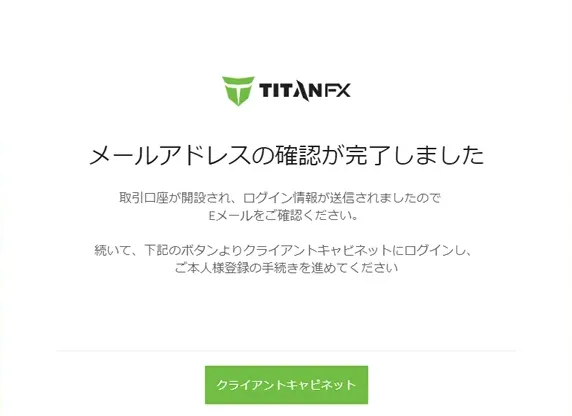
Once the "Thank you for registering" screen appears, you will receive an email containing your login information and other details.
You will receive an email from Titan FX with the subject line “[Important] Final Step to Open an Account: Please Click the Email Confirmation Button.”
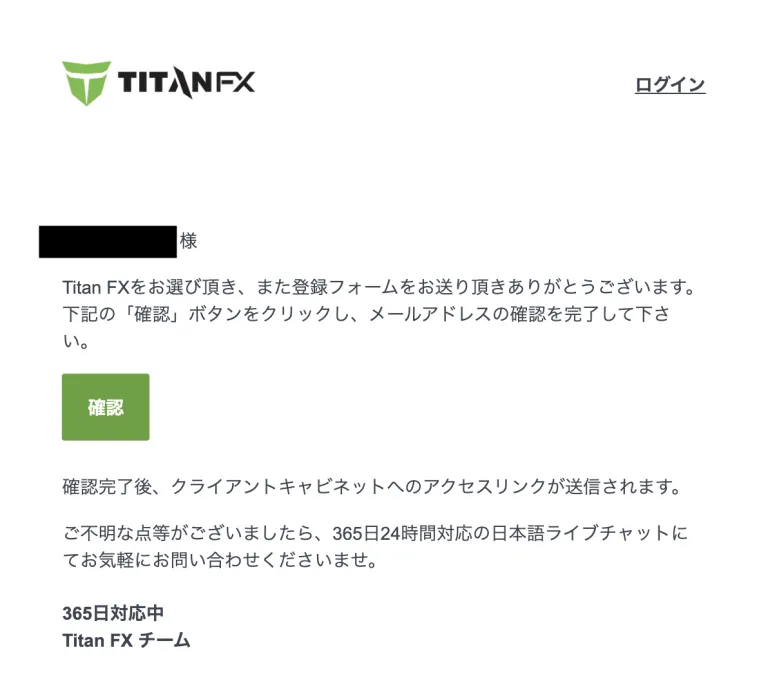
Please click "Confirm" in the text to complete the process.
Uploading Documents
Even if you open an account using the SMS verification described above, you can still start trading; however, certain restrictions will remain in place until you complete identity verification (by submitting the required documents).
- You must register your credit or debit card before using it for the second time or later.
- The maximum deposit amount is 1,000,000 yen.
- I am unable to process a withdrawal.
Log in to the Client Cabinet.
Tap the name in the upper-right corner to open the drop-down menu. Then, tap "Profile" from the menu.
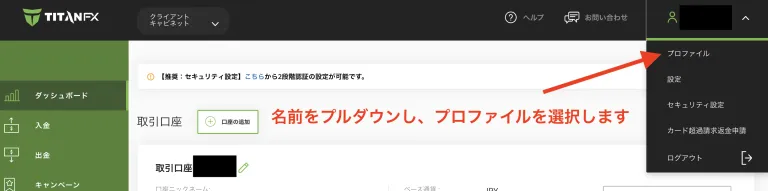
If identification documents have not been submitted, the message "Please submit" will be displayed.
Select and upload the identification and proof-of-address documents you wish to submit.


That completes the upload of the required documents.
Let's apply for an account so you can get your cashback!
Once you've created an account eligible for cashback, the next step is to apply for an account to receive the cashback.
If you do not submit this application, you will not be able to receive your cashback even if you have gone to the trouble of opening a cashback-eligible account, so please be sure to do so.
Final Step >> Request a Cashback Receiving Account