This page provides instructions for users who already have an Exness account on how to change their affiliated account to an Exness cashback account and receive cashback from REBATE ONE.
If you would like to change the affiliate association for your current Exness account, or if you want to link it to a different affiliate, or if you want to set it up as an account eligible for cashback, please refer to this page.
目次
How Exness Accounts Work
Exness operates on a system where your registered email address serves as your account.
Within an account, you can create additional sub-accounts based on the types of base currencies used for trading (such as for scalping or swing trading).
Since it’s easy to transfer funds between accounts you’ve created, if you open an Exness cashback-eligible account provided by REBATE ONE, you can create a dedicated account for receiving cashback and register it through your REBATE ONE My Page. This eliminates the risk of mismanagement or losing your cashback.
There are two ways to change the link to your Exness cashback account (Partner).
There are two ways to change your Exness affiliate (partner) assignment. Both options are eligible for cashback, so you’ll be able to receive cashback, but each has its own advantages and disadvantages, so please choose the method that’s right for you.
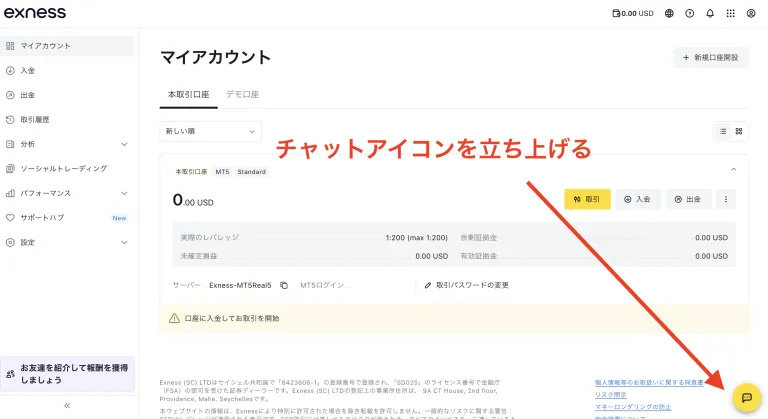
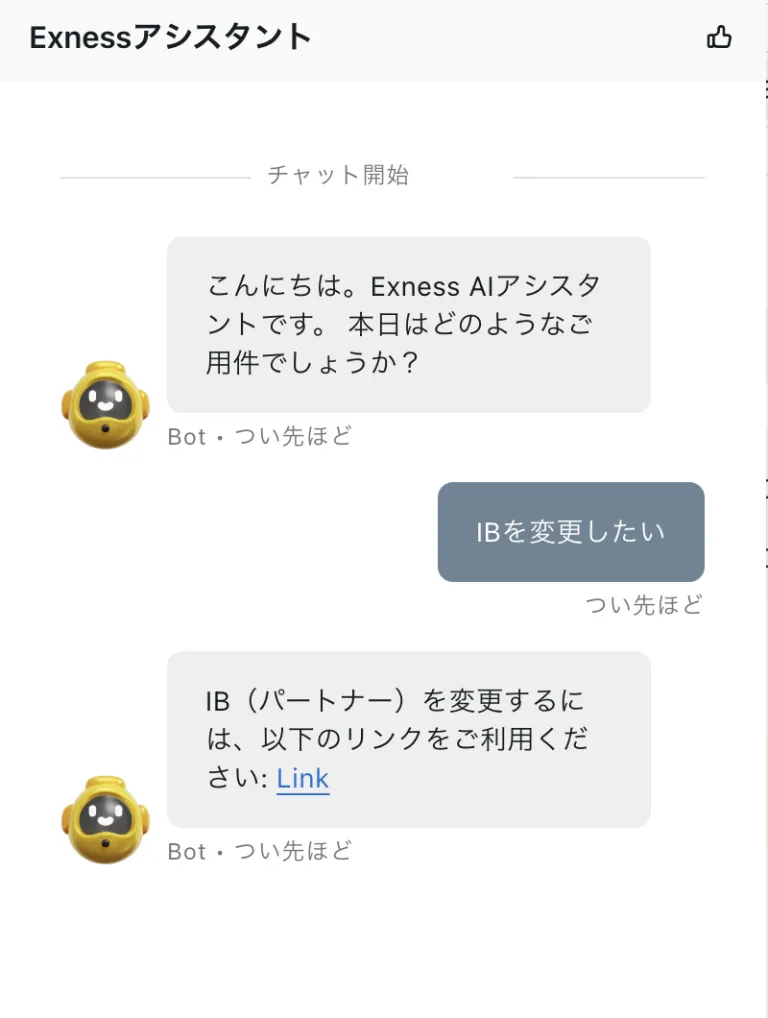
How to Change Your Account Link Using the Exness Support Chat
Changing your linked account (partner) via support chat is more convenient because it allows you to make the change while keeping your current account status as-is, eliminating the need to re-verify your email address, phone number, or ID.
○ Benefits
You can carry over your existing funds and premium benefits as-is, and since all you need to do after completing the process is create an additional account within your existing account, you can resume trading seamlessly.
× Disadvantages
Since processing typically takes 48 to 72 hours, changes cannot be made immediately, and you must wait for an email from Exness confirming that the change has been completed. Additionally, there are cases where Exness does not approve the change, so there is no guarantee that the change will be possible.
How to Create a New Account with a Different Email Address
You can easily open a cashback-eligible account by creating a new account with a new email address.
○ Benefits
The process is very simple to complete, and you can start trading in your cashback-eligible account right away.
× Disadvantages
Since the unlimited leverage and premium benefits associated with an account you are already using are treated as a separate account—even if the registrant is the same—and are not carried over, you must meet the requirements to use unlimited leverage and other features on a new account.
For instructions on how to create a new account using a different email address, please see here.
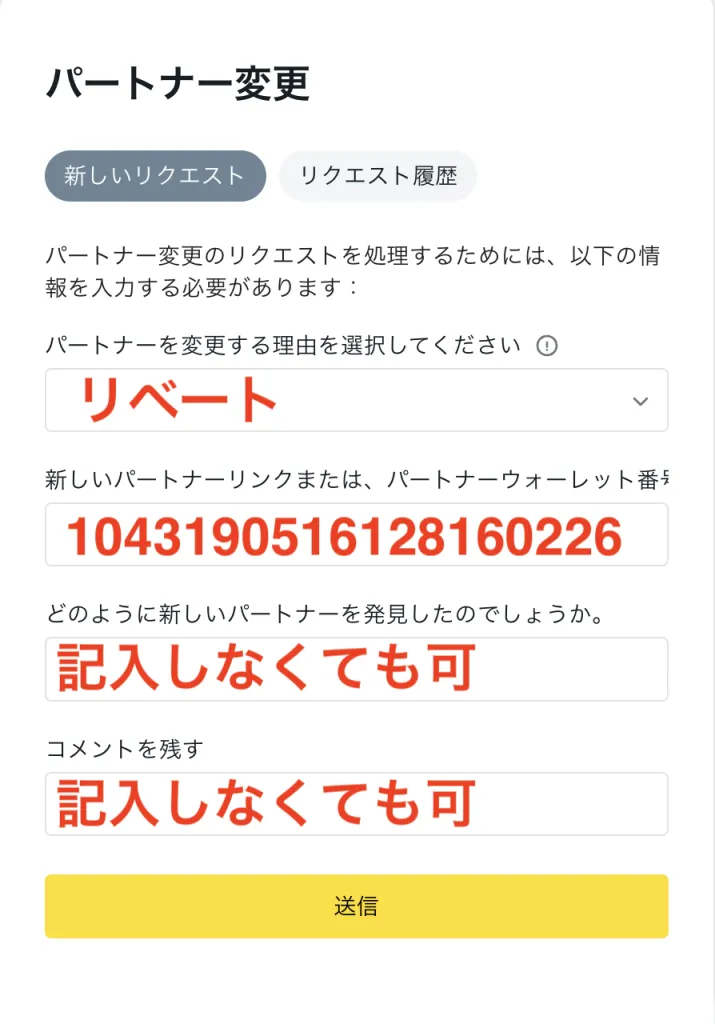
Please be sure to enter this number correctly, as failure to do so will prevent the app from linking with REBATE ONE, and you will not be able to receive your cashback.
STEP 2: Wait for a confirmation message from Support
Typically, you will receive an email from Exness Support within 72 hours of submission confirming that your partner change has been approved.
Opening an Additional Account
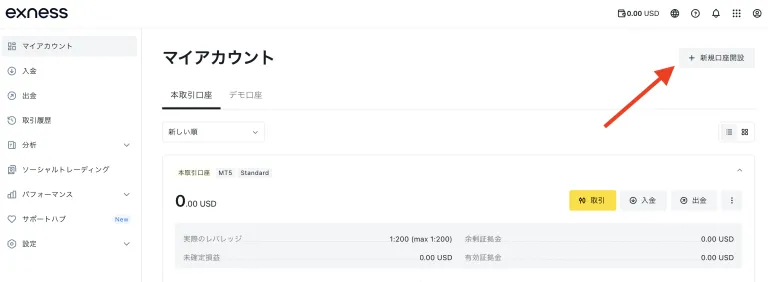
Once you receive the email from Exness confirming that the account linking has been completed, go to "My Page" and click "Open an Additional Account."
Transactions made through this additional account will be eligible for the REBATE ONE program and will generate cashback. The account you used prior to this will not be eligible.
Cashback will not be applied to trading accounts opened before you receive the confirmation email, so please be sure to open any additional accounts only after you have received the confirmation email from Exness.
Simply changing your linked account will not result in a cashback. To receive cashback after changing your linked account, you must open an additional account that is compatible with REBATE ONE!
How to Create an Additional Account
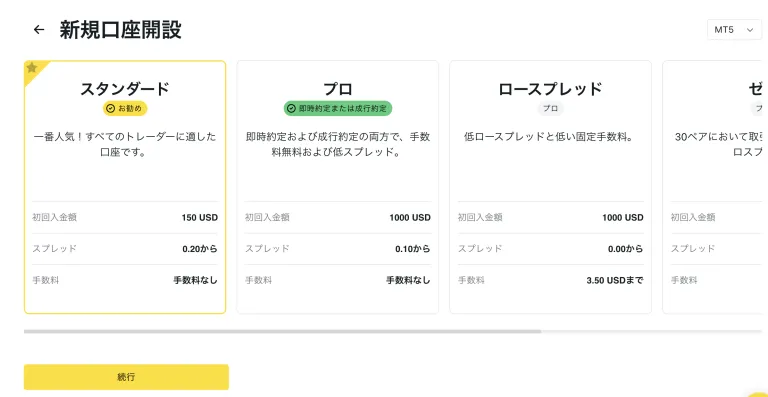
After logging in to Exness, click "Open a New Account."
Select an account type and click "Continue" to complete the setup.
The account number generated in this way will be your cashback-eligible account number.
Let's apply for an account so you can get your cashback!
Once you've created an account eligible for cashback, the next step is to apply for an account to receive the cashback.
If you do not submit this application, you will not be able to receive your cashback even if you have gone to the trouble of opening a cashback-eligible account, so please be sure to do so.
Final Step >> Request a Cashback Receiving Account